Why GIFs Still Matter for Game Marketing
GIFs autoplay on most platforms without a click. A well-made GIF showing fluid movement, a satisfying mechanic, or a funny moment in your game gets reshared in ways static screenshots don't. On Reddit (r/indiegaming, r/gaming), animated posts consistently outperform static image posts. On Twitter/X, they're a core part of any game announcement strategy. Steam supports animations in the About This Game and Special Announcement sections of a store page.
Tool Comparison
You don't need expensive software. Here are the main options:
ScreenToGif (Windows, free)
Records a selected area of your screen directly to GIF. Has a built-in frame editor, optimiser, and supports saving in multiple formats including WebP. The best all-in-one free option for Windows.
LICEcap (Windows/Mac, free)
Simpler than ScreenToGif. Click, drag a region, record. Minimal editing tools, but reliable and very quick for basic captures.
Gifox (Mac, paid ~$8)
Clean, minimal interface. Menu bar app that records a window or screen region. Produces well-optimised GIFs without much effort.
Aseprite (Windows/Mac/Linux, ~$20)
If you're making pixel art, Aseprite is the industry standard. Export any animation directly to GIF from your sprite file. No screen capture needed.
Photoshop (paid)
Can create GIFs from video files or image sequences using the Timeline panel. Powerful editor but overkill unless you already have it.
Method 1 — Screen Capture to GIF
This is the quickest method for any game:
- Run your game in windowed mode.
- Open ScreenToGif (or LICEcap/Gifox on Mac).
- Draw a capture region over the game window. Match it to a 16:9 ratio if possible (e.g., 640×360 or 800×450).
- Set your frame rate: 15fps is a reasonable balance between smoothness and file size. 24fps for smoother motion.
- Hit record, play the moment you want to capture, stop recording.
- In the editor, trim the start and end frames to remove dead time.
- Run the optimiser to reduce file size (ScreenToGif has this built in).
- Export as GIF.
Method 2 — From Sprite Sheets (Pixel Art)
If your game is pixel art and you have the source sprites in Aseprite:
- Open the sprite file in Aseprite.
- Go to File > Export > Export As.
- Choose GIF as the format.
- Set loop options and frame timing.
- Export.
This produces a clean GIF directly from your source art — no screen capture artefacts, perfect pixel alignment, and a much smaller file size than screen recording.
Examples from the iZBOT 2 Art Folder
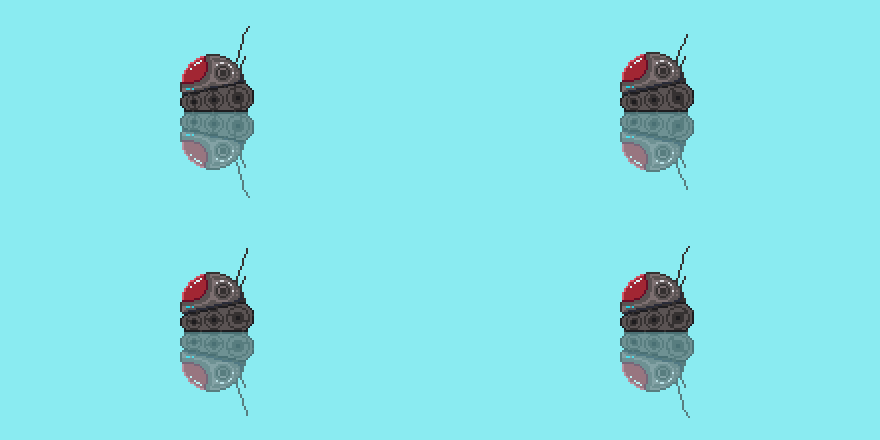
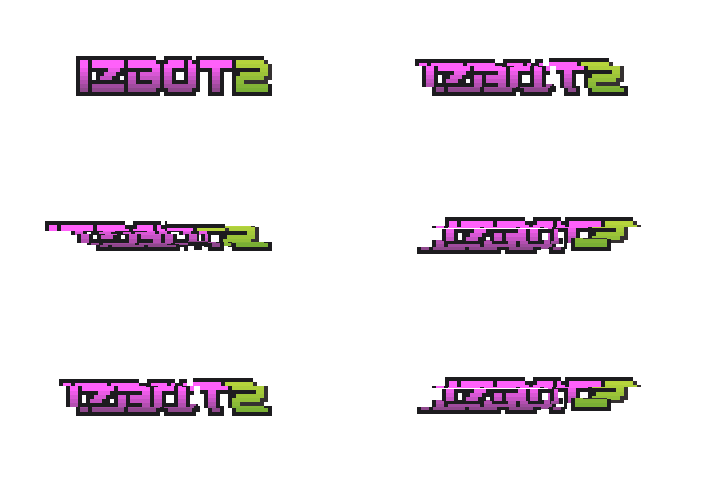
These two exports show different uses for animated pixel art: a character animation and an animated game logo. Open each preview to view it, then close it to hide the motion.
Tank animation
A single character gives the viewer one clear subject to follow. Here, the tank and its reflection sit against a plain background. When preparing your own sprite animation, check the frame timing and the transition from the last frame back to the first.
Show tank animation
Glitch logo
An animated logo can introduce a game or punctuate a development update. This example uses the iZBOT 2 wordmark with a glitch effect. Keep a static logo available too, as on the press page, so readers can choose the version that suits their coverage.
Show glitch logo animation
Optimisation Tips
GIF files get large fast. Keep them usable:
- Limit palette: GIFs support a maximum of 256 colours. Most tools have a palette reduction option — 64 or 128 colours is often indistinguishable from 256 for pixel art.
- Keep it short: Under 10 seconds. Under 6 seconds for social media posts. The loop is what creates the impression of longer content.
- Reduce dimensions: 600×338 (16:9) is enough for most uses. You don't need 1920×1080.
- Reduce frame rate: Drop from 24fps to 12fps and halve the file size. For action games with fast motion, stay at 24fps. For slower games, 12fps is fine.
- Use ScreenToGif's optimiser: It removes duplicate frames and reduces the palette automatically.
Where to Use Your GIFs
- Steam store page: Add animations through the description editor for the About This Game or Special Announcement sections. See Steamworks extra asset documentation for supported formats and display guidance.
- Twitter/X: Attach directly to tweets. Twitter converts to MP4 internally, so use high-contrast, well-lit footage.
- Reddit: r/indiegaming, r/gaming, r/[genre]. Post as a direct image upload — linked GIFs from external hosts often don't autoplay.
- itch.io: Add as screenshots on your game page — itch.io displays GIFs natively.
- Discord servers: IndieGame devlogs, genre-specific servers. GIFs in Discord autoplay in the message feed.
Frequently Asked Questions
What's the best free tool to make animated GIFs from a game?
For Windows, ScreenToGif is the best free option — it records directly to GIF, has a built-in editor, and handles optimisation. LICEcap is simpler but less featured. On Mac, Gifox is excellent. For pixel art specifically, Aseprite can export animation frames as a GIF directly from your sprite files.
How do I make a GIF from a running game?
Run your game in windowed mode. Open a screen capture tool like ScreenToGif, draw a capture region over the game window, and hit record. Play the moment you want to capture, then stop recording. Edit the frames in the tool to trim the clip, then export as GIF. Aim for 15–24fps and keep the clip under 10 seconds for social media sharing.
How big should a GIF be for Steam?
Steam recommends 1170px-wide images and videos for store descriptions on high-DPI displays. Keep animations short, check readability and loading time, and preview the result in the store editor. Animations display in About This Game and Special Announcement sections.
See iZBOT in Action
iZBOT is a fast precision platformer on Steam. Check out the store page to see the game in motion — and consider wishlist-ing it while you're there. Check Steam for current pricing.
Play iZBOT on Steam